
Plugins & slash commands
A fresh install is a messenger and nothing else. Everything beyond that is a plugin that ships in the app switched off. Each one says what it adds and what it is allowed to reach before you turn it on, and nothing runs, appears in your chat list or makes a network request until you do.
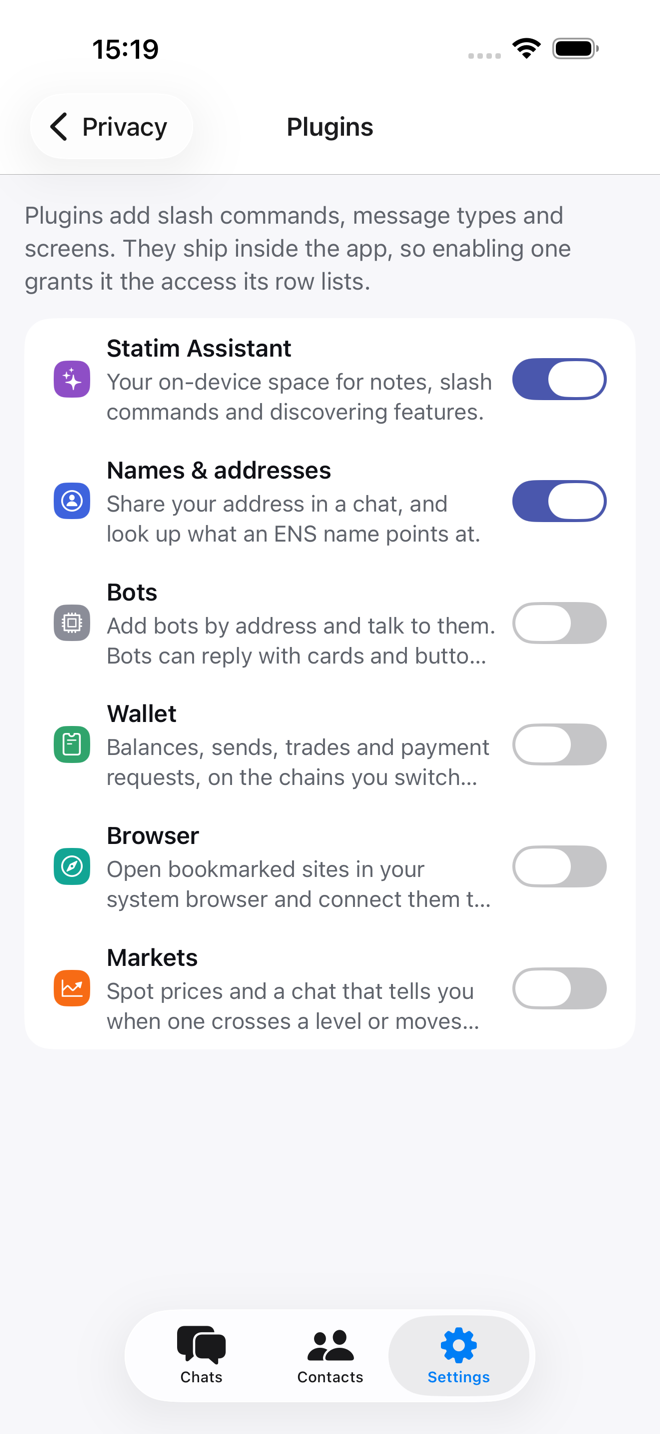
The plugins
| Plugin | What it adds |
|---|---|
| Statim Assistant | Your on-device space for notes, slash commands and finding features. On from the start; it is the Statim chat. |
| Names & addresses | /address shares your address in a chat; /ens name.eth shows what a name points at, including its Bitcoin record; /move continues a DM on XMTP. On from the start. |
| Wallet | Balances, sends, trades and payment requests on the chains you switch on. See Wallet. |
| Browser | Bookmarked sites, opened in your system browser and connected to your wallet over WalletConnect. |
| Markets | Spot prices, and a chat that tells you when one crosses a level or moves by a percentage. |
| Bots | Talk to bots on XMTP by address. Bots reply with cards and buttons. |
Turning a plugin on takes effect immediately and adds its own chat where it needs one. Turning it off removes that and stops everything it was doing; its settings are kept for next time.
The permissions are the point of that list. A plugin declares what it may do: see your address, ask you to sign, read or send messages, make network requests, store data, open links. You see that before the switch. The wallet asks for a lot; Markets asks only for network and storage.
Slash commands
In any chat, type / and a picker lists what works there. /commands prints
the same list; /commands wallet narrows it to one plugin.
Slash commands are scoped to where they make sense. The wallet's /send works in the
Wallet chat and in a DM with the person you are paying. Group
slash commands only work in groups.
| Slash command | Does |
|---|---|
/commands | What works in this chat |
/plugins, /enable, /disable | Manage plugins from the keyboard |
/whoami | Your addresses and public keys |
/address, /ens | Share your address; look up a name |
/move | Continue a Telegram or bridged DM on XMTP, end-to-end encrypted |
/chains | Chains on, off, and the default |
/balance, /send, /request, /split | The wallet |
/trade, /swap, /bridge | Swap a token, or bridge it to another chain |
/tokens, /watch, /unwatch, /watched | Tokens on a chain; addresses to keep an eye on |
/gas, /explorer, /rpc | Fees, block explorer, your own endpoint |
/open, /scan, /connect, /connected, /disconnect | Sites and WalletConnect |
/bookmark, /bookmarks, /unbookmark | Your site list |
/price, /alert, /alerts, /unalert | Markets |
/bots, /addbot, /removebot, /startbot | Bots |
/members, /invite, /remove, /rename, /leave | This group |
A slash command that needs more than you typed opens a form in the composer area. Anything that signs, whether a send, a trade or a WalletConnect request, always shows a review step first.
Bots
A bot is an address that answers. There is no bot platform here, no token to
revoke and no server in the middle: /addbot <address> <name> remembers one,
/startbot <address> says hello, and from then on it is a chat like any
other.
Instead of an address, both take an ENS name such as pricebot.eth, or a bot's
name at its owner's domain, such as weather@bots.example.org.
Your own bots runs two of them at home.
Bots reply with the same cards plugins use, buttons included. A button carries a slash command string and dispatches through exactly the same path as typing it, so a button labelled "send 10 ETH" still opens the normal confirmation. A bot never executes anything on your device.
Nobody vets bots. One sees everything you send it, exactly like a person would.