
Chats
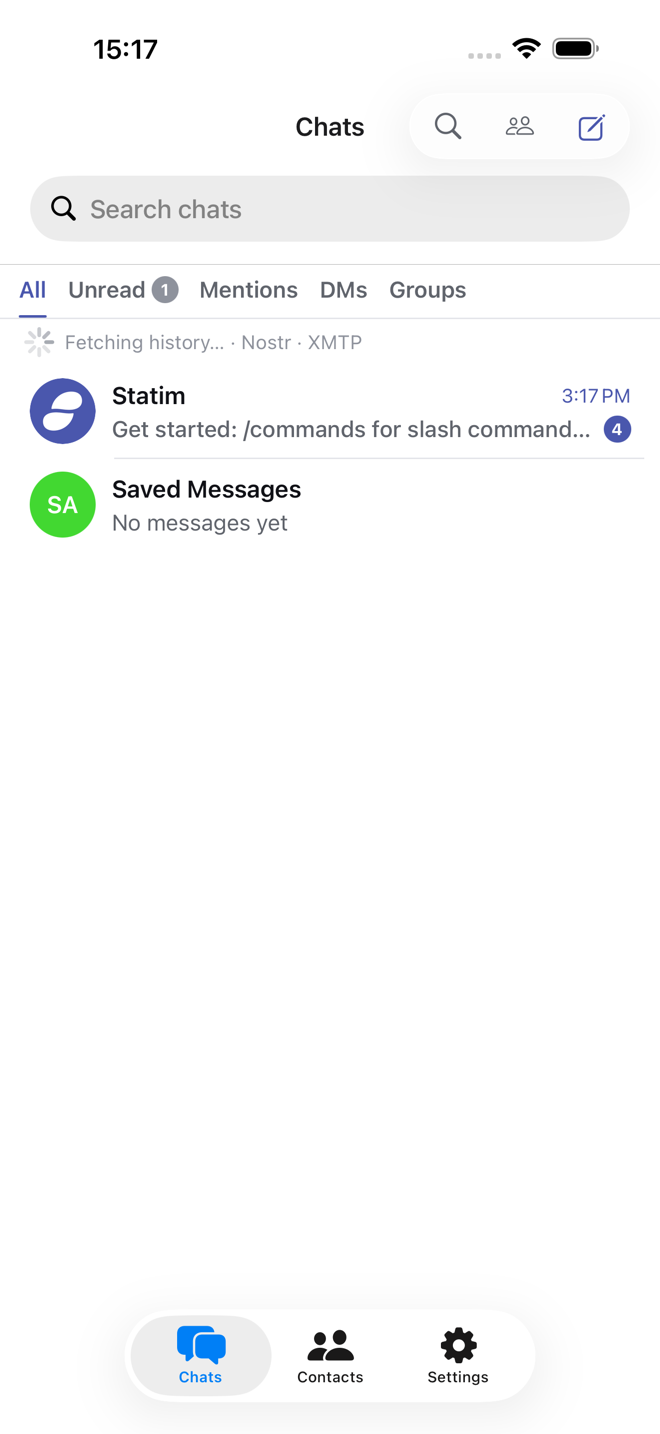
Three tabs: Chats, Contacts and Settings. Chats is the chat list, and every chat in it says which network it is on.
The Statim chat
A fresh install has exactly one chat, the Statim chat. It lives on your
device and nowhere else. It answers /commands, explains what the app can do,
and is where plugins post their own messages. It also works as a notepad, since
nothing written there is sent anywhere.
Start a chat
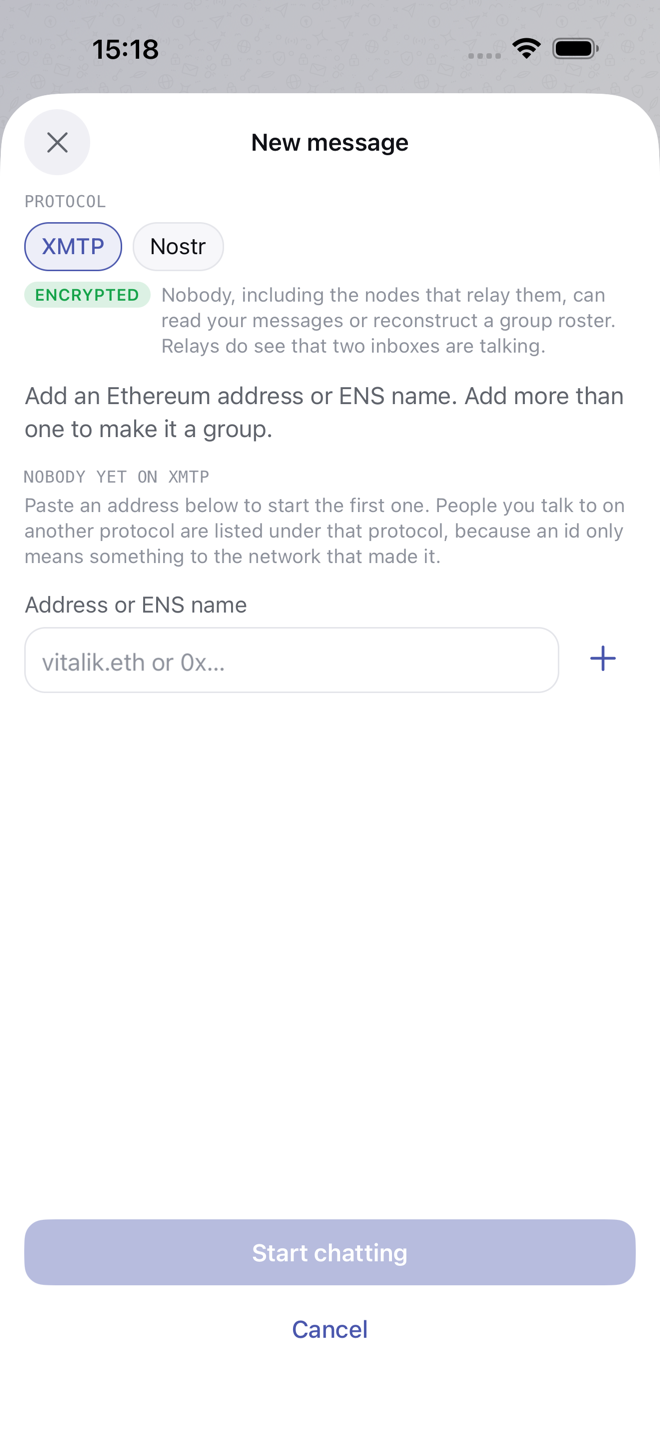
Tap the compose button at the top right of Chats.
- Pick a protocol. Only connected protocols are offered; Protocols covers connecting each one.
- Paste their address. What that is depends on the protocol: an Ethereum address or
ENS name for XMTP, a public key for Nostr, a
zQ3sh…chat key or astatus.applink for Status, a@usernameor phone number for Telegram, a@user:serverID or amatrix.tolink for Matrix. - Add more people and a title to make a group, where the protocol allows it.
The app checks the person can actually receive messages there before opening the chat, and says so when they cannot. An Ethereum address that has never opened an XMTP app, for instance, has no inbox to deliver to.
Contacts
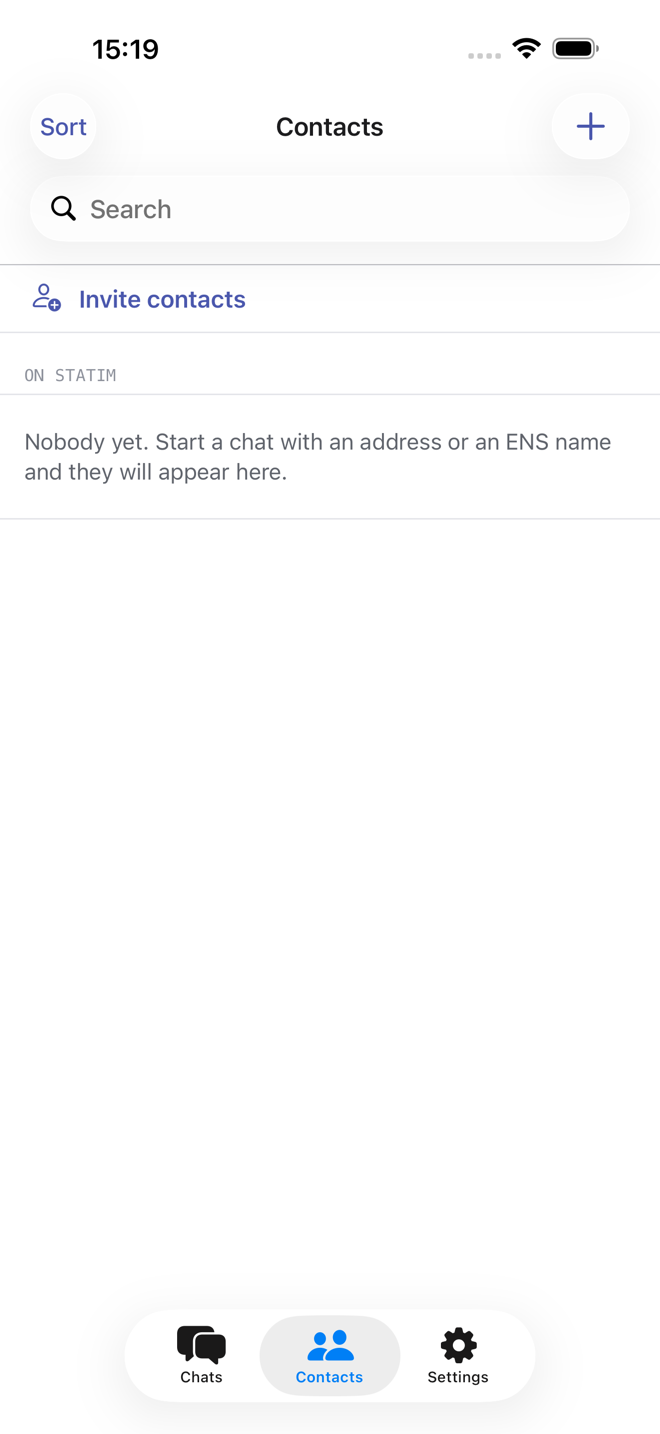
The Contacts tab lists the people you have talked to, across every protocol, and is where you save a name against an address you will use again. Invite contacts reads your device address book to suggest who to ask, on the device only. Nothing from it is uploaded.
Requests
A chat someone else starts arrives under Requests at the top of the list, not in your chats. Open it, read it, then Accept or Decline. Declining takes the chat off your list without blocking the sender. Until you accept, nothing you do is visible to the sender. An invitation to a Matrix chat arrives as a request too, and accepting it joins it.
Continue a DM on XMTP
Telegram can read your Telegram chats, and a bridge can read the chats it
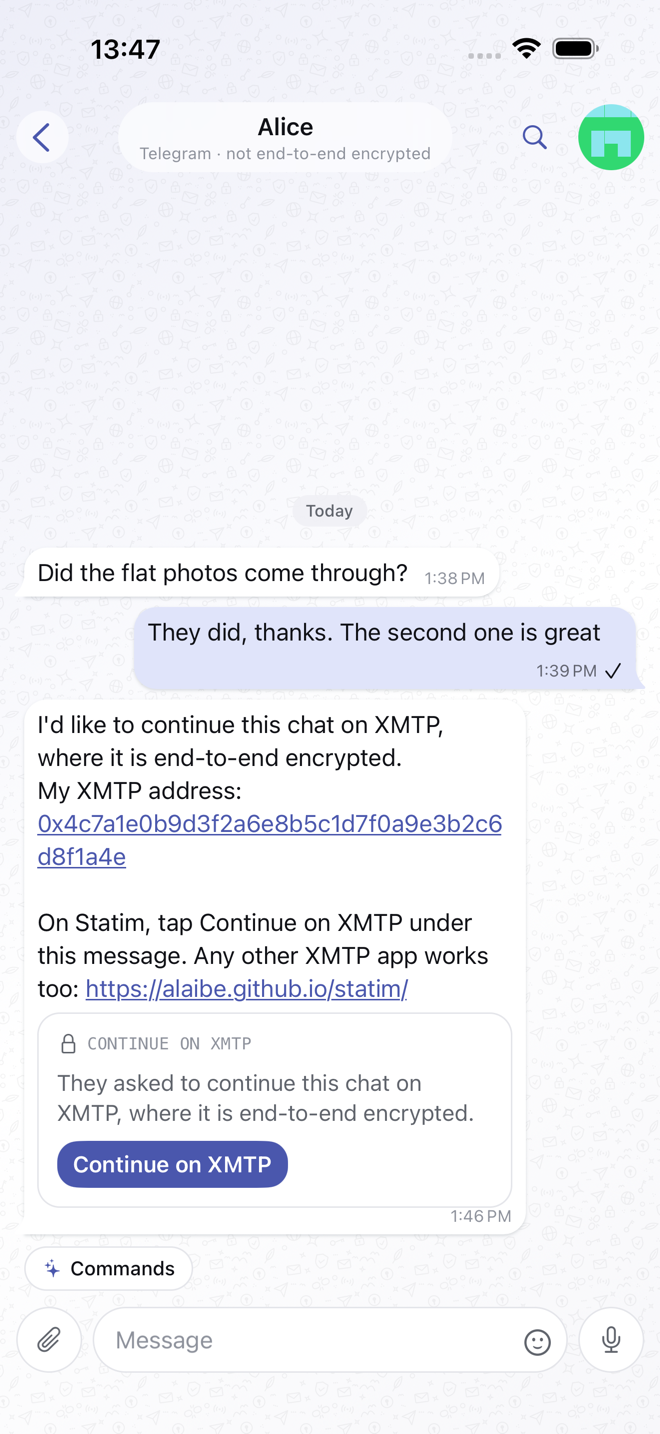
carries. To move a DM somewhere they can't, type /move in it. Statim sends
the other person your XMTP address. If they use Statim, they tap Continue on
XMTP under that message. That opens an XMTP DM with you, under the name
they already had for you, and says hello there; the hello reaches you as a
request. Tapping the card again later takes them back to that DM. With any
other XMTP app, they can message the address directly.
Folders and filters
Telegram, Matrix and every network a Matrix bridge brings in each get a folder in the list, such as Telegram or Slack, so a busy account does not bury the rest. Pin a chat and it stays in the main list. Archived chats have their own Archive folder.
The filters at the top narrow the list: All, Unread, Mentions (chats where someone mentioned or replied to you), DMs and Groups.
Search
The search button inside a chat searches that chat; search from the list looks through all of them. Telegram searches its whole history. Matrix searches the homeserver's history for chats without encryption, and for encrypted chats what this device holds. The other protocols search what is stored on this device.
On the Mac, ⌘K jumps to a chat by name, unread chats first.
Pin, archive, mute, mark unread
Swipe a chat, or long-press it, to pin it to the top, archive it, or silence its notifications. Muted chats stay out of the Unread count and do not notify.
Mark as unread keeps a chat in Unread until you open it again. On Telegram and Matrix the mark is saved to your account, so a chat marked on your phone shows unread on the Mac as well.
Groups
Inside a group, /members lists who is in it, /invite and /remove change
the roster, /rename changes the title and /leave leaves.
A group's details show its description, link and member count. Admins also see:
- Invite to create a link, or one that needs an admin's approval.
- Join requests, to approve or decline each person. The chat's title bar says when requests are waiting.
- On a member's profile, Mute in group (they stay but cannot send), Remove from group (they can come back with an invite or a link) and Ban from group (they cannot come back).
What each of those means underneath depends on the protocol. XMTP enforces membership cryptographically; a Nostr group is simply the set of participants; Matrix has power levels; a Status group is a signed list of membership changes every member checks. The app only offers what the protocol can actually do.